TL;DR
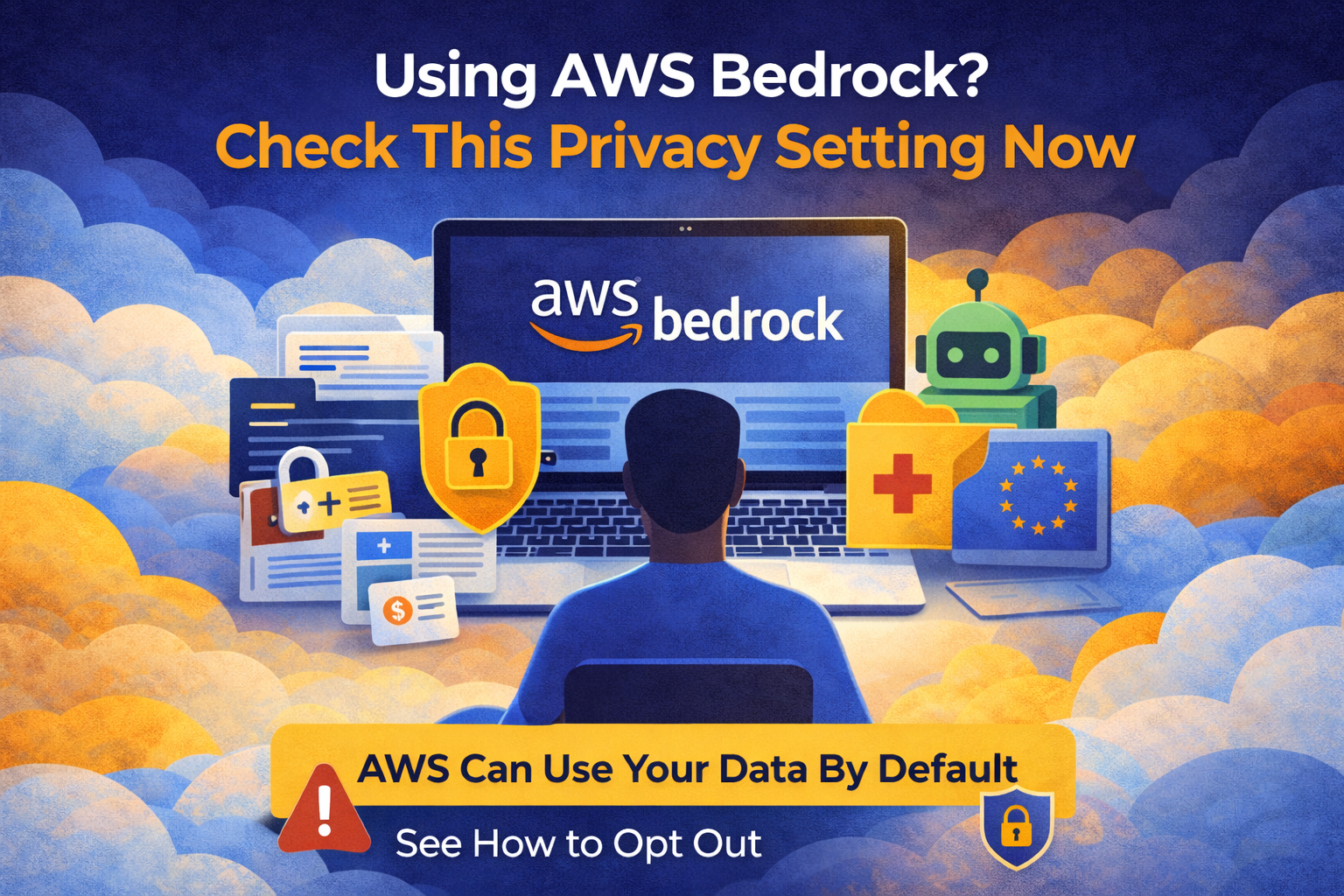
If you’re using AWS Bedrock, AWS can use your data for model improvement by default.
VPC endpoints do not prevent this.
You need to explicitly opt out inside AWS Organizations.
It takes 2 minutes, and in this blog I’ll show you how.

Why Teams Choose AWS Bedrock
Large Language Models (LLMs) are already embedded in production systems. Not experiments. Real workloads.
We see them used for:
- Intelligent chatbots handling customer support
- Document processing (contracts, invoices, compliance reviews)
- Code generation and automated testing
- Marketing and personalized content creation
- Log analysis and anomaly detection
AWS Bedrock became popular for a few practical reasons:
- VPC Endpoint support keeps traffic inside your network
- A unified SDK across Claude, Llama, Mistral, Titan, and other models
- IAM roles instead of static API keys
- Infrastructure aligned with SOC 2, HIPAA, and GDPR requirements
From an architecture perspective, it checks a lot of enterprise boxes.
But there’s one setting most teams miss.
The Privacy Loophole Nobody Talks About
By default, AWS can use customer inputs to improve its AI services unless you explicitly opt out.
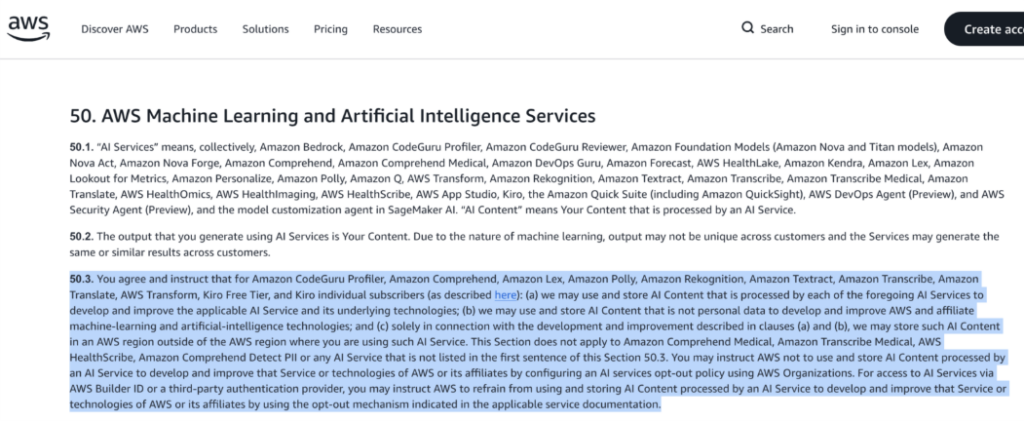
This is stated in the AWS Service Terms.
That means inputs sent to Bedrock, including:
- Customer support conversations
- Internal business documents
- Financial data
- Health-related information
— may be used for model improvement unless you disable it.
And yes, this is still true even if you’re using VPC endpoints.
Network isolation is not the same as usage control.
The 2-Minute Fix To Protect Your Data
The opt-out exists. It’s just not enabled by default.
You need to configure it in AWS Organizations.
Here’s exactly what to do, Step-by-step:
1. Navigate to AWS Organizations console
2. Go to Policies → AI services opt-out policies
3. By default, this policy is disabled (meaning AWS CAN use your data)
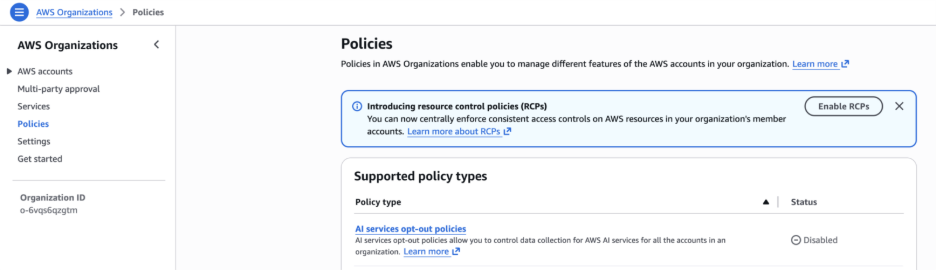
4. Click “Opt out from all AI services”
5. Confirm twice (AWS requires double confirmation)
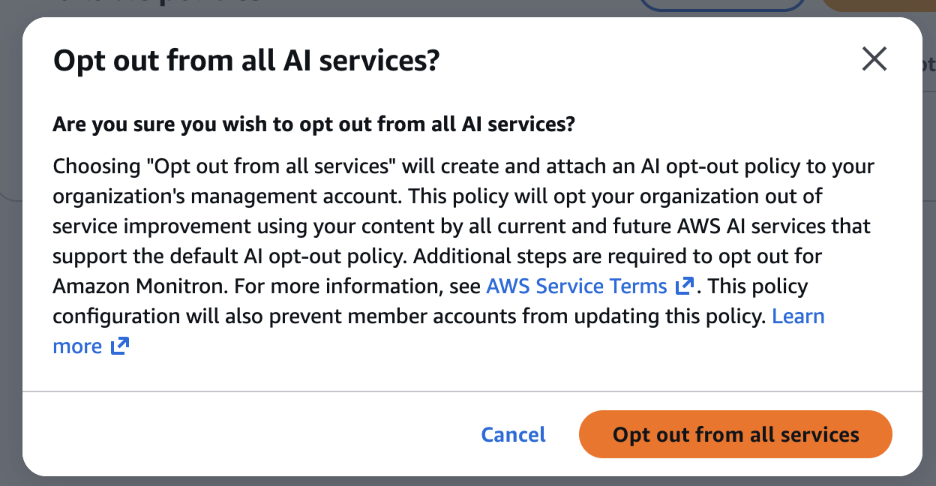
That’s it.
Once enabled, AWS can no longer use your private data for model training.
Why This Matters for Your Business
If you’re processing:
- Healthcare records (HIPAA)
- Financial transactions (PCI-DSS)
- EU citizen data (GDPR)
- Proprietary IP or trade secrets
This setting directly impacts your compliance posture.
Privacy isn’t only about encryption or IAM policies. It’s also about how your data is used downstream.
Bottom Line
AWS Bedrock is a strong platform for generative AI.
But privacy is not automatic.
If you’re running production workloads, take two minutes and enable AI services opt-out policies.
That decision affects your customers’ data, and your responsibility for it.
Need help securing your AWS Bedrock deployment?
Contact our cloud architecture team for a comprehensive AI/ML security audit:
____________________________________